
Imagine waking up to lights gradually brightening, your coffee brewing, and Alexa reading your daily schedule. This is the magic of creating smart home routines with Alexa. These routines streamline daily tasks by combining multiple actions into one trigger, making your home smarter and life easier. Whether you’re a tech novice or a smart home enthusiast, setting up these automations is simple and rewarding. In this guide, we’ll explore how to create smart home routines with Alexa, offering practical steps and ideas to enhance your lifestyle. Let’s dive into automating your home with ease and efficiency.
What Are Alexa Smart Home Routines?
Smart home routines with Alexa are sets of actions triggered by a single command, schedule, or event. For example, saying “Alexa, good morning” can turn on lights, start music, and read the news. According to a 2023 Amazon report, over 500 million Alexa devices are in use globally, with routines being a top feature for 60% of users. These routines save time and personalize your environment.
Additionally, routines can integrate with smart devices like lights, thermostats, and cameras. Triggers include voice commands, schedules, or sensors. For instance, a motion sensor can activate lights when you enter a room. This flexibility makes routines a powerful tool for home automation, enhancing convenience and efficiency.
Why Use Alexa Routines for Home Automation?
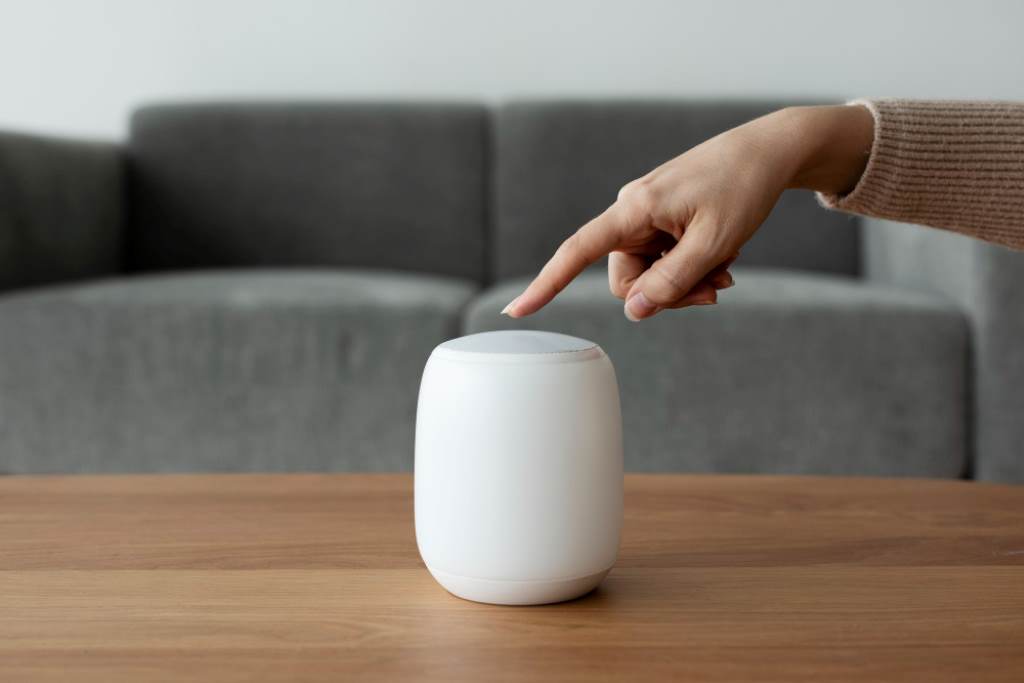
Creating smart home routines with Alexa simplifies daily tasks and boosts productivity. Instead of issuing multiple commands, one trigger handles everything. A 2021 study by Statista found that 43% of smart home users prefer voice assistants for automation due to their ease of use. Routines reduce manual effort, saving time and energy.
Moreover, routines enhance home security and comfort. For example, a “Good Night” routine can lock doors, dim lights, and arm cameras. Personally, I set up a routine to turn on my porch lights when I arrive home, making evenings safer and welcoming. Therefore, routines not only streamline tasks but also create a tailored, secure living space.
How to Set Up Smart Home Routines with Alexa
Setting up smart home routines with Alexa is straightforward using the Alexa app. First, ensure your smart devices are connected to Alexa. Open the app, tap “More,” then “Routines.” Click the “+” icon to start a new routine. Name it, choose a trigger (voice, schedule, or device), and add actions like controlling lights or playing music.
Next, customize actions to fit your needs. For example, I created a “Movie Night” routine that dims lights, closes blinds, and starts Netflix with one command. Save the routine and test it. If issues arise, check device connections in the app. This process takes minutes and transforms how you interact with your home.
Top Triggers for Alexa Routines
Triggers are the events that start your routines. Here are the most effective options:
- Voice Commands: Say phrases like “Alexa, start my day” to trigger multiple actions.
- Schedules: Set routines to run at specific times, like 7 a.m. for morning tasks.
- Smart Devices: Use motion sensors or doorbells to activate routines, such as lights when entering.
- Location: Trigger routines when you arrive or leave home, requiring location services.
- Alarms: Start a routine when dismissing an alarm, perfect for morning routines.
For instance, I use a schedule trigger to turn off all lights at 11 p.m., saving energy. According to a 2022 Energy Star report, smart home automation can reduce energy use by up to 15%. Experiment with triggers to find what suits your lifestyle.
Creative Ideas for Alexa Routines
Here are some creative ways to use smart home routines with Alexa:
- Morning Boost: At 7 a.m., Alexa turns on lights, plays upbeat music, and reads your calendar.
- Evening Wind-Down: At 9 p.m., dim lights, play calming sounds, and lock doors.
- Pet Alerts: A smart button triggers Alexa to announce when your pet needs attention.
- Workout Mode: Say “Alexa, workout time” to play fitness music and open workout apps.
I once set a “Dinner Time” routine where Alexa announces dinner, sets the table lights, and plays soft music. It made family dinners special. These ideas show how routines can fit any part of your day, from productivity to relaxation.
Integrating Smart Devices with Alexa Routines
To maximize routines, connect compatible smart devices like Philips Hue lights, Ring cameras, or Nest thermostats. In the Alexa app, go to “Devices,” then “Add Device” to link them. Once connected, add these devices to your routines. For example, a “Security” routine can activate cameras and lock doors when you leave.
Additionally, ensure devices are Alexa-compatible. I learned this when my old smart plug wouldn’t sync, requiring a quick upgrade. Routines work best with reliable devices, so check compatibility on Amazon’s website. This integration creates a seamless smart home experience, enhancing control and convenience.
Troubleshooting Common Alexa Routine Issues
Sometimes, routines may not work as expected. Common issues include device connectivity or incorrect triggers. First, ensure all devices are online in the Alexa app. If a routine fails, verify the trigger and actions. For example, I once had a routine fail because my smart bulb was offline. Reconnecting it fixed the issue.
Also, check for conflicting routines. If two routines use the same trigger, one may override the other. Delete and recreate the routine if needed. Amazon’s help page offers detailed troubleshooting tips. Regular maintenance ensures your routines run smoothly, keeping your home automated and stress-free.
Advanced Tips for Optimizing Alexa Routines
For advanced users, try these tips to enhance routines:
- Custom Actions: Type specific commands like “Play my jazz playlist” for unique actions.
- Wait Feature: Add delays between actions, like turning on lights, then music after 5 minutes.
- Multi-Device Control: Group devices for unified control, like all living room lights.
- IFTTT Integration: Use IFTTT for non-Alexa-compatible devices, expanding possibilities.
I experimented with IFTTT to connect my non-Alexa humidifier to a routine, improving air quality automatically. These tweaks make routines more powerful, tailoring your smart home to your exact needs. Explore Amazon’s skill page for more inspiration.
Benefits of Alexa Routines for Energy Efficiency
Smart home routines with Alexa can save energy. A routine that turns off lights and lowers the thermostat when you leave reduces waste. The 2022 Energy Star report notes that smart homes can cut energy costs by 10-15% annually. Scheduling routines for off-peak hours further optimizes usage.
Moreover, routines promote eco-friendly habits. My “Leave Home” routine turns off all appliances, saving electricity. Pairing routines with smart plugs enhances control over non-smart devices. This not only lowers bills but also supports a sustainable lifestyle, making routines a win for both you and the planet.
Conclusion
Creating smart home routines with Alexa revolutionizes daily life, offering convenience, security, and energy savings. By combining triggers and actions, you can automate tasks like lighting, music, and security with ease. These routines save time, reduce energy costs, and personalize your home. Whether you’re starting your day or winding down, Alexa makes it seamless. Try setting up your first routine today and experience the difference. Share your favorite routine ideas in the comments or spread this guide to help others automate their homes.
FAQs
How do I start creating smart home routines with Alexa?
Open the Alexa app, go to “More,” select “Routines,” and tap the “+” icon to set triggers and actions.
Can Alexa routines work with non-Amazon devices?
Yes, if they’re Alexa-compatible. Check device compatibility in the Alexa app or use IFTTT for integration.
What triggers can I use for Alexa routines?
Triggers include voice commands, schedules, smart devices, location, alarms, or Echo buttons for flexible automation.
Why isn’t my Alexa routine working?
Check device connectivity, ensure the correct trigger, and avoid conflicting routines. Rebuild the routine if needed.
How can Alexa routines save energy?
Routines can turn off lights and appliances when not in use, reducing energy consumption by up to 15%.